









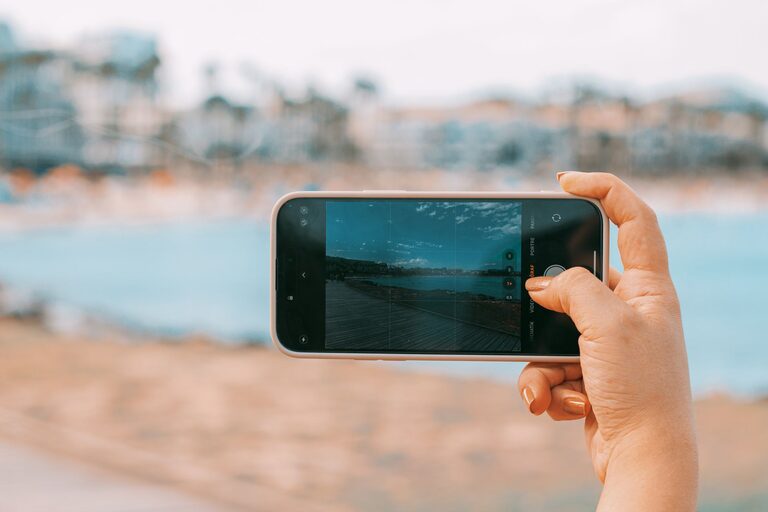
Taking great photos with your phone is easier than you might think. Even if you’re new to photography, your smartphone offers powerful tools that can help you capture beautiful, memorable images. This guide shares beginner-friendly tips to help you improve your phone photography skills and make the most of your device’s camera.
Understanding Your Phone Camera
Before you start snapping, it’s useful to get to know your phone’s camera features. Most smartphones come with multiple lenses, various shooting modes, and built-in editing tools. Familiarizing yourself with these can make a big difference.
– Lens options: Many phones now offer wide, ultra-wide, and telephoto lenses. Try each one to see how they change your photos.
– Camera settings: Explore features like HDR (High Dynamic Range), gridlines, and exposure controls.
– Shooting modes: Some phones include portrait, panorama, night mode, and manual modes.
Spend some time experimenting to see what your phone can do.
Compose Your Shots Thoughtfully
Good composition is key to taking appealing photos. Here are some tips to improve how you frame your shots:
Use the Rule of Thirds
Enable the gridlines in your camera settings to divide the frame into nine equal parts. Position your subject along these lines or at their intersections. This creates a balanced and engaging photo.
Look for Leading Lines
Leading lines guide the viewer’s eyes toward the subject. They can be roads, fences, or natural lines like rivers and tree branches.
Fill the Frame
Get closer to your subject or zoom in (if your camera allows without losing quality). Filling the frame helps highlight details and reduces distractions.
Mind Your Background
Check what’s behind your subject. A cluttered or distracting background can take attention away from the main focus. Sometimes, moving a few steps can make the background cleaner and more appealing.
Focus and Exposure
Your phone’s camera usually focuses automatically, but you can take manual control for sharper photos.
– Tap to focus: Tap on your subject on the screen before taking the shot to make sure it’s in focus.
– Adjust exposure: After tapping to focus, you might see a slider to change brightness. Adjust it to avoid images that are too dark or too bright.
Keep Steady and Use Natural Light
Shaky hands can blur photos, especially in low light conditions.
Hold Your Phone Steady
Use both hands and tuck your elbows close to your body. Consider leaning against a stable surface for added support.
Use Natural Light Whenever Possible
Natural light gives your photos a soft, realistic look. Shoot during the golden hour—shortly after sunrise or before sunset—for warm, flattering lighting.
If shooting indoors, position your subject near a window with plenty of light. Avoid using the camera’s flash unless necessary, as it can create harsh shadows.
Experiment with Angles and Perspectives
Don’t just shoot from eye level. Try different viewpoints to make your photos more interesting.
– Get low: Shoot upwards to emphasize height or capture an interesting sky.
– Shoot from above: Capture flat lays or bird’s-eye views.
– Move around: Walk around your subject to find the best angle.
These variations can add creativity and uniqueness to your photos.
Use Editing Apps to Enhance Your Photos
Editing is a great way to polish your images before sharing them.
Many phones have built-in editing tools that allow you to crop, adjust brightness and contrast, sharpen images, and apply filters.
There are also many free and user-friendly apps like Snapseed, Lightroom Mobile, and VSCO that offer more advanced editing features with an easy interface.
Some basic editing tips:
– Crop to improve framing.
– Adjust exposure, contrast, and saturation to enhance colors.
– Avoid over-editing to keep photos natural.
Practice Regularly and Learn from Others
Like any skill, photography improves with practice. Take photos often and review your results.
Follow photographers on social media, join online forums, or participate in photo challenges to get inspiration and feedback.
Summary: Quick Tips for Better Phone Photos
– Explore your phone camera features.
– Use the rule of thirds and leading lines.
– Focus carefully and adjust exposure.
– Shoot with steady hands and natural light.
– Try different angles and perspectives.
– Edit photos to enhance but keep them natural.
– Practice frequently and learn from others.
With these tips, you’ll soon notice your phone photos becoming clearer, more creative, and more captivating. So grab your phone and start capturing the world around you!